
Clone a source
Cloning makes a copy of a source. Use it to start a new source from one that is set up, in this inkspace or another. Owners and collaborators can clone; a viewer cannot.
Open the clone window
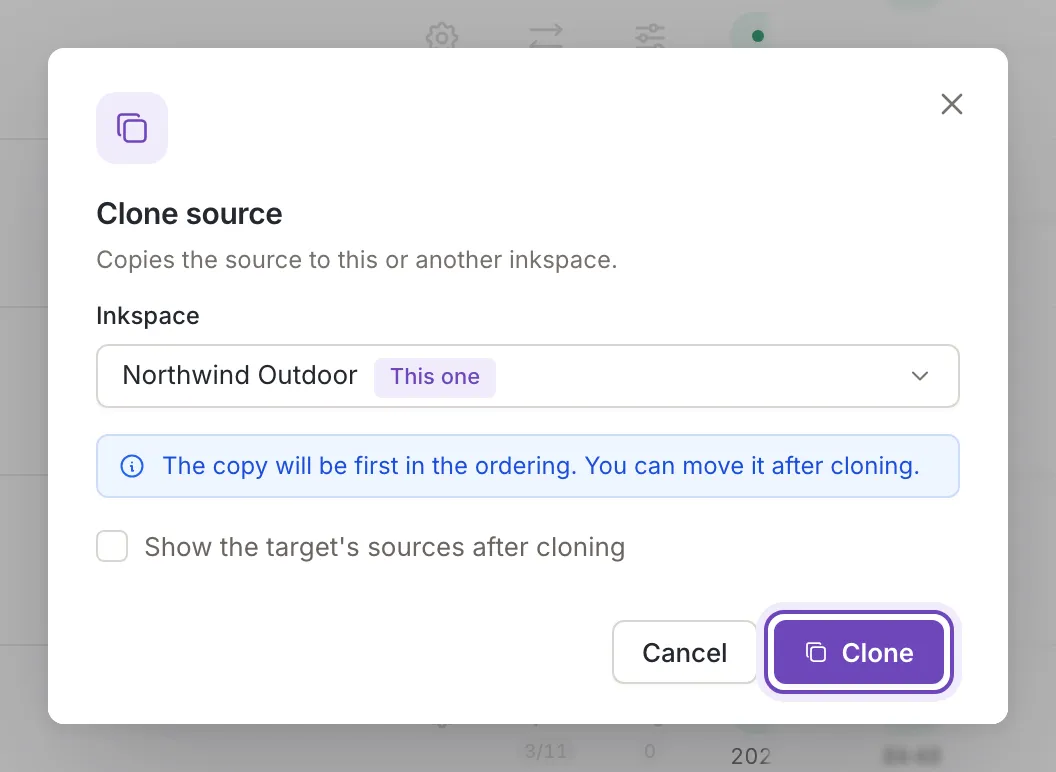
Section titled “Open the clone window”In the Sources list, point at the three dots at the end of the source’s row (More actions) and choose Clone. The window is titled Clone source and says Copies the source to this or another inkspace. One source is cloned at a time.
Choose where it goes
Section titled “Choose where it goes”Under Inkspace the open inkspace is chosen at the start and marked This one. Open the list to pick another: it holds your inkspaces, by name.
While the open inkspace is the target, the window adds a note: The copy will be first in the ordering. You can move it after cloning. The order of the list is the order in which sources are processed (Order and complementary sources). Pick another inkspace and the note goes away.
Clone stays off while no inkspace is chosen. Tick Show the target's sources after cloning to go to the Sources list of that inkspace when the copy is made. Cancel, the cross, Esc and a click outside the window close it and send nothing.
After cloning
Section titled “After cloning”Feedink says Source cloned. and the copy appears in the Sources list of the chosen inkspace, named “Copy” followed by the name of the original. The copy takes everything of the original: its settings, its mapping and its rules.
The copy is not updated when it is made. Its items come in with the next update of the inkspace, or when you update the inkspace yourself.
If the copy cannot be made, a message titled Sources not cloned gives the reason, for example that an update of the inkspace is running; try again once the update has finished.