
Do nothing, exclude and split items
Most adjustments set one field. Three actions act on the item as a whole. They are offered only when the field of the row is The whole item, and they are not offered for any other field.
Do nothing
Section titled “Do nothing”Do nothing changes nothing. A new rule starts with it, so a rule you have just added does no harm before you give it a real adjustment.
Exclude matching items
Section titled “Exclude matching items”Exclude matching items leaves out the items that meet the conditions of the rule. With Every item it leaves out every item. On a channel, an excluded item is missing from that channel’s feed only; the same item is still in the other channels.
For example, with the condition that availability equals out of stock:
| Item | Availability | After the rule |
|---|---|---|
| Kestrel Trail Pack 30 L | in stock |
stays |
| Bison Camp Stove | out of stock |
left out |
An adjustment that excludes the item ends the rule for it. The row says Takes the item out; the adjustments below do not run. and the rows below do not run.
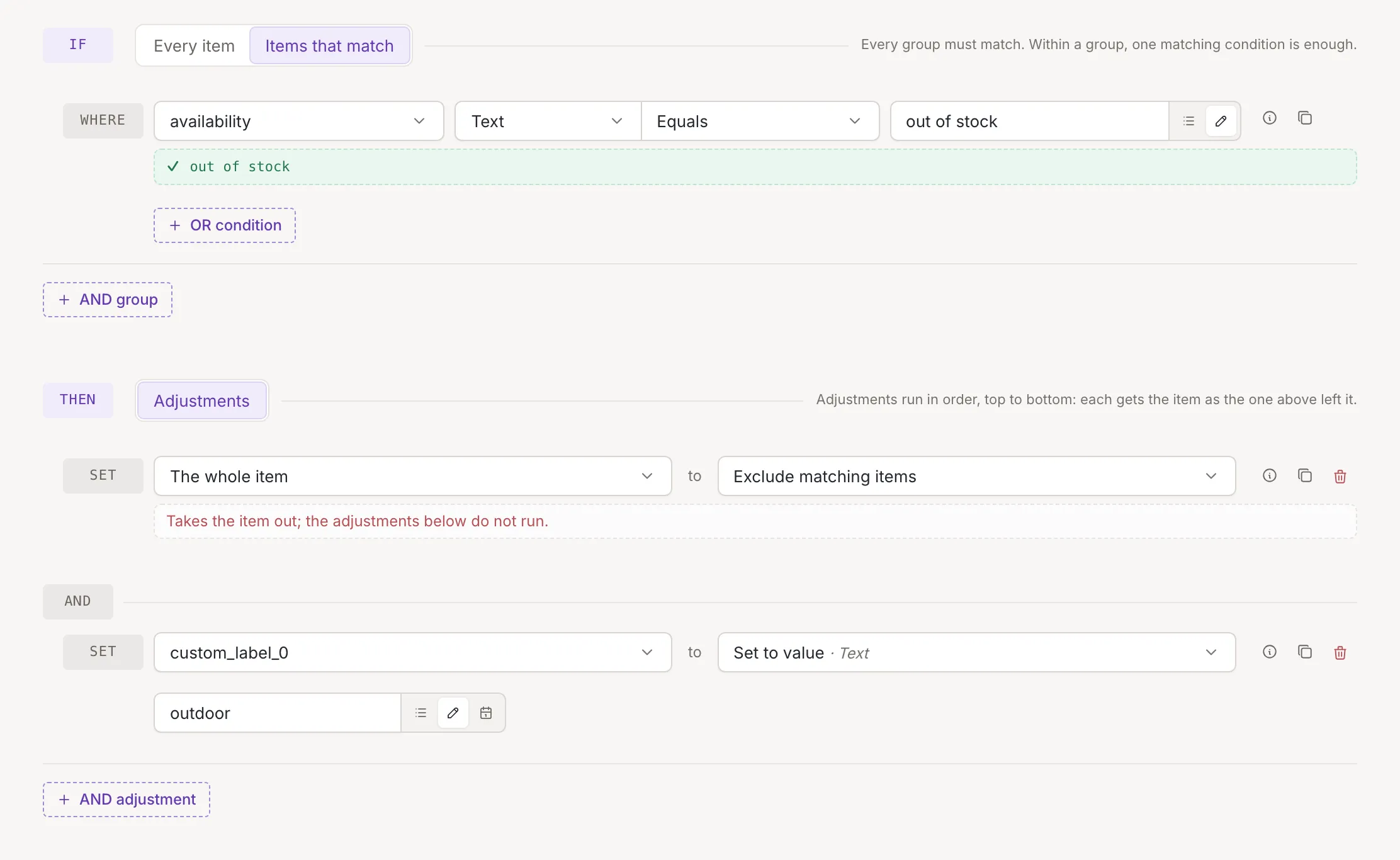
In the rules list, a rule with this action is tagged Excluding. When Test on item is on, an excluded sample item is shown as excluded, and the rules after the excluding rule are marked as not reached; Read the test result shows how.
Split items
Section titled “Split items”Split items turns one item into several. Under By: list the fields that hold the elements, and add more with Add a field. Each field is chosen from the same list as any other value; a field can be listed only once. Picking a field twice removes the second and shows Duplicate field:
This field is already in the list.
How the item is split:
- The item gets as many copies as the longest of the listed fields has elements. The first copy takes the first element of each field, the second copy the second element, and so on. All other fields are copied as they are.
- A field with fewer elements than the longest leaves the later copies with an empty value in it.
- A field that holds a single value counts as a list of one element.
- If the item has none of the listed fields, it stays as it is. If they are all empty lists, the item disappears.
For example, splitting by the size field:
| Title | Size | |
|---|---|---|
| Item before | Nordwind Fleece Jacket | [S, M, L] |
| Items after | Nordwind Fleece Jacket | S |
| Nordwind Fleece Jacket | M |
|
| Nordwind Fleece Jacket | L |
To split a text into a list first, use Split text; see Text actions. In the rules list, a rule that splits is tagged Splitting, and Test on item shows the first of the items it makes.