
Help in the app
Help is part of every signed-in screen. It opens the articles of this help center without leaving the screen you are working on.
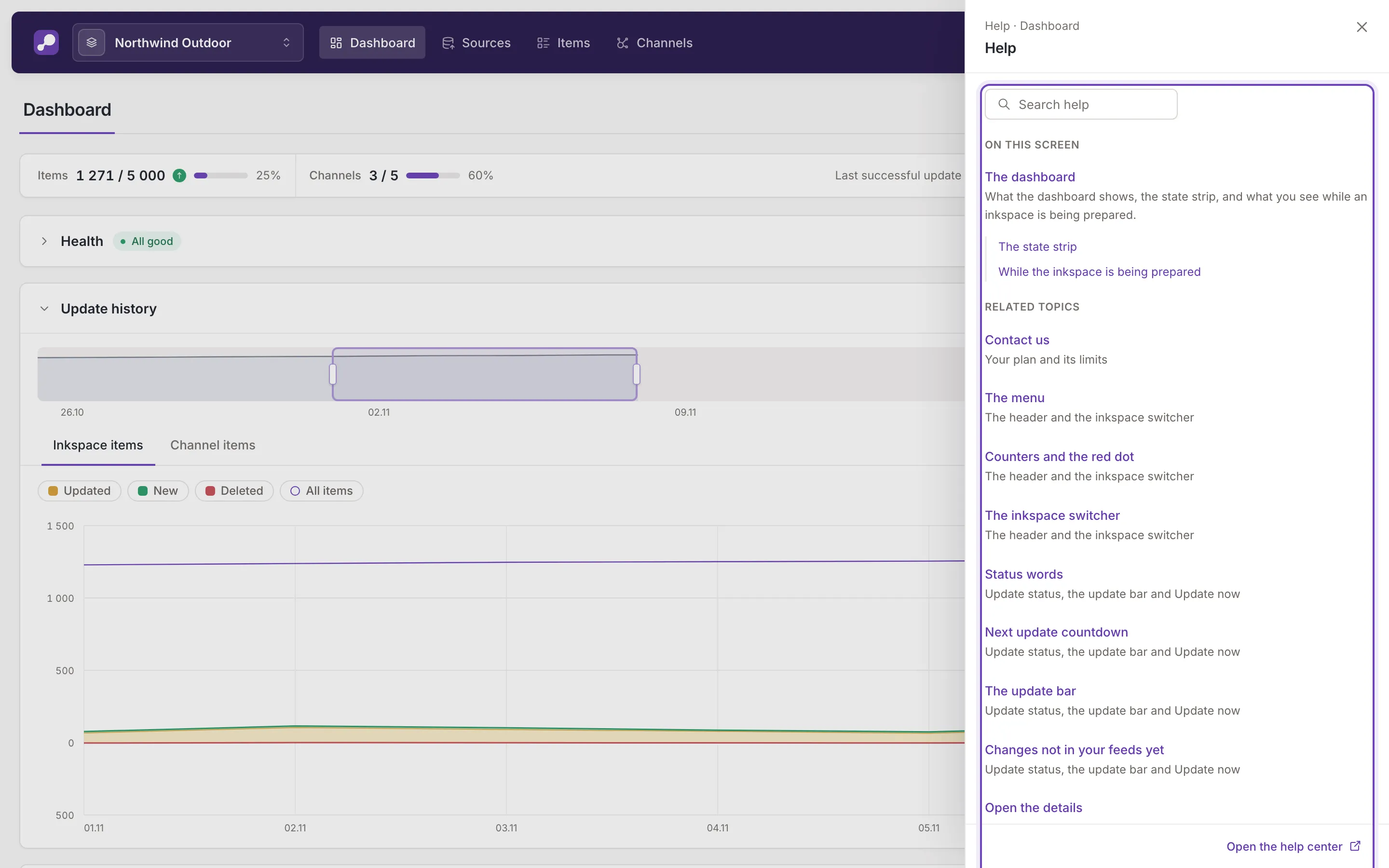
Open the Help panel
Section titled “Open the Help panel”There are two ways in:
- Help in the header, beside Settings.
- The ? button in a side panel or a full-screen view, just left of its close button. The panel you are in stays open underneath.
Both open the same Help panel. Close it with its own close button.
What the panel shows
Section titled “What the panel shows”The panel follows the screen on display, so what it lists changes as you move between screens:
- On this screen: the article written for this screen, with its topics.
- Related topics: sections of other articles about this screen.
Type in Search help to search every article instead. At the bottom, Open the help center opens this site in a new tab.
Read an article in the panel
Section titled “Read an article in the panel”A click on an article opens it inside the panel. Back returns to the lists, and Open in new tab opens the article you are reading on this site. Links between articles work inside the panel too.
Other help in the app
Section titled “Other help in the app”The info button on a rule’s adjustment, in the rule editor, explains that one adjustment. Explanations of a screen, a section or a field are in the Help panel.