
Run a rule between two dates
A rule can run only between two dates, for example for a sale. Outside them it does not run in updates, and you do not have to switch it on and off yourself. You set the limit in the header of a saved rule; the Add rule screen has no time limit, so save the rule first.

Turn the limit on
Section titled “Turn the limit on”Click the clock in the rule’s header. Its hover label is Limit the rule in time while there is no limit; the dates row under the header opens, with
Limit the rule in time(Run the rule only between two dates.), a switch and two date fields. A rule that already has a limit opens with the row shown, and its clock is highlighted; the hover label then shows the dates. Switch the limit on: fields that are empty are filled with one whole day, from 00:00 to 23:59. Switch it off to remove both dates and run the rule all the time. Either way the change counts once you click Save.
Pick the dates
Section titled “Pick the dates”Date from and Date to hold a date and a time. Type them as year-month-day and hours:minutes, or click a field to open the calendar, which has Date and Time parts and the buttons Now, Today, Clear and Close. The fields show a date and a time and name no time zone. You can use only one of the two dates: with no end the rule runs from the start on, with no start it runs until the end.
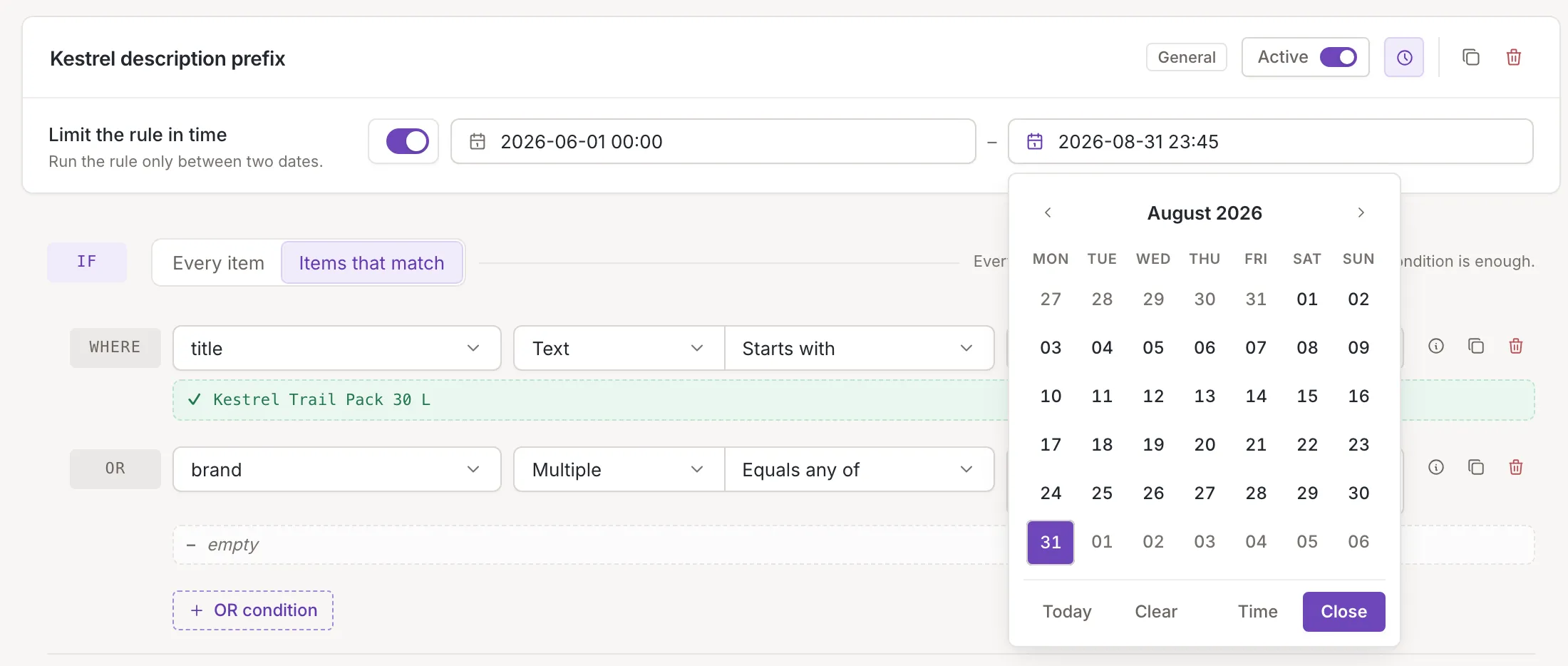
What the limit does
Section titled “What the limit does”Before its start date and after its end date the rule does not run in updates, as if it were switched off. In the list the rule has a clock; hover it to see the dates (see The rules list), and once the end date has passed the row steps back. Test on item marks such a rule Not active and shows what it would do. The Active switch is separate: a rule must be active and inside its dates to run.
Invalid dates
Section titled “Invalid dates”The end has to be after the start. If you type an end that is not, the field turns red and says The end must be after the start. If you move the start to the end date or past it, the end moves to the end of the day after the start. A date that is only partly typed is marked as invalid, and Save sends nothing until it is corrected or cleared.

Only owners and collaborators can save a change to the limit.