
Condition operators
An operator is the comparison a condition makes between a field of the item and a value. Operators are grouped by type; this article lists them all. Date operators have an article of their own: Date conditions.
In the examples, Field is what the item holds in the field you compare, Value is what you type or pick, and a field shown as (empty) is missing or has no text.
Pick a type and an operator
Section titled “Pick a type and an operator”Next to the field, a condition has two selects. The first picks the type: Text, Multiple, Number, Length (text), Length (list), Advanced and Date. The second lists the operators of that type.
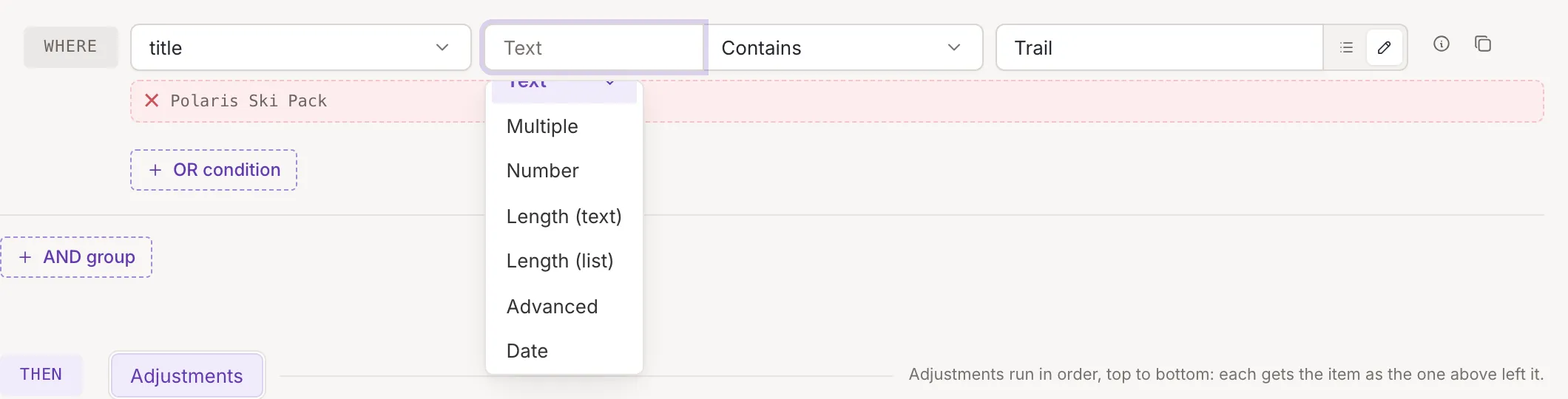
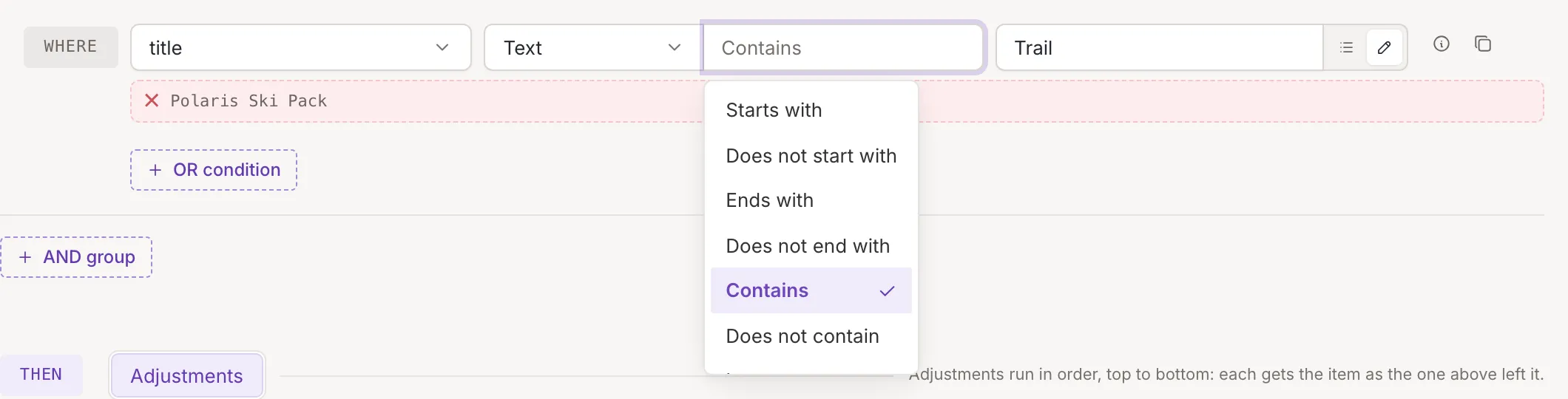
- A field you have just picked gets Text and Equals.
- When you change the type, the condition moves to the matching operator of the new type if there is one: Equals of Text becomes Equals of Number, Is greater than becomes Is greater than, and so on. Otherwise it takes the first operator of the type.
- The operator select has a search box. It finds an operator by its name or by a word of its description.
- Operators that need no value (Is empty, Is not empty and the GTIN checks) show no value cell.
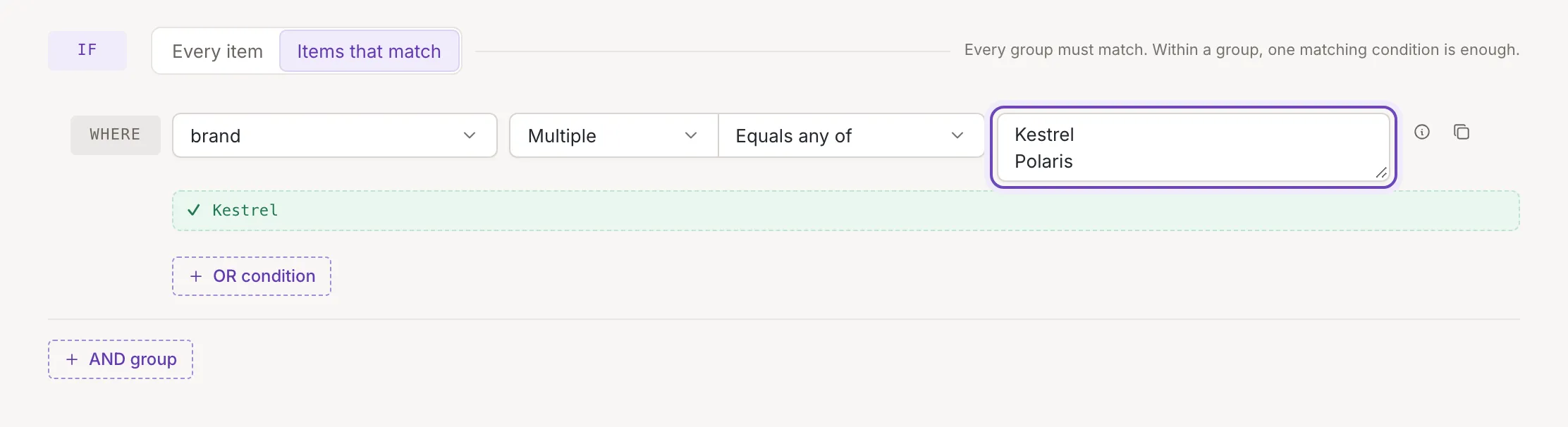
- Under Multiple the value is a list typed in a text box, one per line; under the other types it is a field, a custom value or, for dates, a date and time.
Text operators compare the field as text.
| Operator | The condition is met when | Capital letters |
|---|---|---|
| Starts with | the field starts with the value | ignored |
| Does not start with | it does not | ignored |
| Ends with | the field ends with the value | ignored |
| Does not end with | it does not | ignored |
| Contains | the value is anywhere in the field | ignored |
| Does not contain | it is nowhere in the field | ignored |
| Is empty | the field has no value (a list: no elements) | |
| Is not empty | it has a value (a list: at least one element) | |
| Equals | the field is exactly the value | count |
| Does not equal | it is not | count |
| Is greater than | the field comes after the value in alphabetical order | count |
| Is at least | after, or the same | count |
| Is less than | the field comes before the value | count |
| Is at most | before, or the same | count |
Things to know:
- A field that is missing from the item counts as empty. The exception is Contains and Does not contain: neither is met when the field or the value is empty.
- The alphabetical operators go letter by letter, and every capital letter comes before every lowercase one: “Zebra” is less than “apple”.
Starts with
Section titled “Starts with”Met when the field begins with the value. Capital letters are ignored; spaces count, so a field that begins with a space does not start with Kestrel.
| Field | Value | Result |
|---|---|---|
Kestrel Trail Pack 30 L |
Kestrel |
Met |
kestrel trail pack |
KESTREL |
Met |
Trail Pack Kestrel |
Kestrel |
Not met |
Does not start with
Section titled “Does not start with”Met when the field does not begin with the value, so an empty or missing field is met.
| Field | Value | Result |
|---|---|---|
Atlas Camp Lantern |
Kestrel |
Met |
Kestrel Trail Pack 30 L |
kestrel |
Not met |
| (empty) | Kestrel |
Met |
Ends with
Section titled “Ends with”Met when the field ends with the value. Capital letters are ignored; a space at the end of the field counts, so Trail Pack does not end with Pack.
| Field | Value | Result |
|---|---|---|
Kestrel Trail Pack 30 L |
30 L |
Met |
Kestrel Trail Pack 30 l |
30 L |
Met |
30 L Kestrel Trail Pack |
30 L |
Not met |
Does not end with
Section titled “Does not end with”Met when the field does not end with the value, so an empty or missing field is met.
| Field | Value | Result |
|---|---|---|
Atlas Camp Lantern |
30 L |
Met |
Kestrel Trail Pack 30 L |
30 L |
Not met |
| (empty) | 30 L |
Met |
Contains
Section titled “Contains”Met when the value is anywhere in the field. Capital letters are ignored. It is never met when the field or the value is empty.
| Field | Value | Result |
|---|---|---|
Kestrel Trail Pack 30 L |
trail |
Met |
Kestrel Trail Pack 30 L |
Tent |
Not met |
| (empty) | Tent |
Not met |
Does not contain
Section titled “Does not contain”Met when the value is nowhere in the field. Capital letters are ignored. Like Contains, it is never met when the field or the value is empty.
| Field | Value | Result |
|---|---|---|
Kestrel Trail Pack 30 L |
tent |
Met |
Kestrel Trail Pack 30 L |
TRAIL |
Not met |
| (empty) | tent |
Not met |
Is empty
Section titled “Is empty”Met when the field holds nothing: it is missing, has no text or is an empty list. A single space or the text 0 is a value, so the field is not empty. This operator has no value.
| Field | Value | Result |
|---|---|---|
| (empty) | (none) | Met |
Kestrel |
(none) | Not met |
| a single space | (none) | Not met |
0 |
(none) | Not met |
Is not empty
Section titled “Is not empty”Met when the field holds something, even a single space or 0. A missing field, empty text and an empty list are not met. This operator has no value.
| Field | Value | Result |
|---|---|---|
Kestrel |
(none) | Met |
| a single space | (none) | Met |
| (empty) | (none) | Not met |
Equals (text)
Section titled “Equals (text)”Met when the field is exactly the value. Capital letters and spaces count, and a number is compared as its text.
| Field | Value | Result |
|---|---|---|
Kestrel |
Kestrel |
Met |
kestrel |
Kestrel |
Not met |
Kestrel Trail Pack |
Kestrel |
Not met |
Does not equal (text)
Section titled “Does not equal (text)”Met when the field is not exactly the value. Capital letters and spaces count.
| Field | Value | Result |
|---|---|---|
Atlas |
Kestrel |
Met |
kestrel |
Kestrel |
Met |
Kestrel |
Kestrel |
Not met |
Is greater than (text)
Section titled “Is greater than (text)”Met when the field comes after the value in alphabetical order. The texts are compared letter by letter, every capital letter comes before every lowercase one, and when one text starts with the other, the longer one comes after.
| Field | Value | Result |
|---|---|---|
Polaris |
Atlas |
Met |
Atlas |
Atlas |
Not met |
Zebra |
apple |
Not met |
Is at least (text)
Section titled “Is at least (text)”Met when the field comes after the value in alphabetical order, or is the same text.
| Field | Value | Result |
|---|---|---|
Atlas |
Atlas |
Met |
Atlas |
Polaris |
Not met |
Zebra |
apple |
Not met |
Is less than (text)
Section titled “Is less than (text)”Met when the field comes before the value in alphabetical order. A capital letter comes before a lowercase one.
| Field | Value | Result |
|---|---|---|
Atlas |
Polaris |
Met |
Atlas |
Atlas |
Not met |
Zebra |
apple |
Met |
Is at most (text)
Section titled “Is at most (text)”Met when the field comes before the value in alphabetical order, or is the same text.
| Field | Value | Result |
|---|---|---|
Atlas |
Atlas |
Met |
Zebra |
apple |
Met |
Polaris |
Atlas |
Not met |
Multiple values
Section titled “Multiple values”Type one value per line. Empty lines are ignored; spaces at the start or end of a line count.
| Operator | The condition is met when | Capital letters |
|---|---|---|
| Contains any of | the field contains at least one of the lines | ignored |
| Contains none of | it contains none of them | ignored |
| Equals any of | the field is exactly one of the lines | count |
| Equals none of | it is none of them | count |
Contains any of
Section titled “Contains any of”Met when the field contains at least one of the lines. Capital letters are ignored; spaces at the start or end of a line count. In the examples, each value is one line. An empty field contains nothing.
| Field | Value | Result |
|---|---|---|
Kestrel Trail Pack 30 L |
tent, TRAIL |
Met |
Kestrel Trail Pack 30 L |
Tent, Stove |
Not met |
| (empty) | Kestrel |
Not met |
Contains none of
Section titled “Contains none of”Met when the field contains none of the lines. Capital letters are ignored. An empty field contains nothing, so it is met.
| Field | Value | Result |
|---|---|---|
Kestrel Trail Pack 30 L |
Tent, Stove |
Met |
Kestrel Trail Pack 30 L |
tent, TRAIL |
Not met |
| (empty) | Kestrel |
Met |
Equals any of
Section titled “Equals any of”Met when the field is exactly one of the lines. Capital letters count, and so do spaces: the line Polaris with a space at the end does not equal Polaris.
| Field | Value | Result |
|---|---|---|
Polaris |
Atlas, Polaris |
Met |
polaris |
Atlas, Polaris |
Not met |
Polaris Ski Pack |
Polaris |
Not met |
Equals none of
Section titled “Equals none of”Met when the field is none of the lines. Capital letters count. An empty field equals no line, so it is met.
| Field | Value | Result |
|---|---|---|
Polaris |
Atlas, Nordwind |
Met |
polaris |
Atlas, Polaris |
Met |
Polaris |
Atlas, Polaris |
Not met |
Numbers
Section titled “Numbers”| Operator | The condition is met when the field is |
|---|---|
| Equals | the same number as the value |
| Does not equal | a different number |
| Is greater than | greater than the value |
| Is at least | greater than or equal to it |
| Is less than | less than the value |
| Is at most | less than or equal to it |
Compare numbers on a field that holds only a number, such as 19.99. Greater and less read a value that starts with a
number as that number, so 352.99 USD counts as 352.99, and a value that starts with no number as 0. Same and
different compare the whole value: 352.99 USD is not the same number as 352.99.
Equals (number)
Section titled “Equals (number)”Met when the field and the value are the same number, so 19.990 equals 19.99. The whole field must be a number: 352.99 USD is not the same number as 352.99.
| Field | Value | Result |
|---|---|---|
19.99 |
19.99 |
Met |
19.990 |
19.99 |
Met |
352.99 USD |
352.99 |
Not met |
Does not equal (number)
Section titled “Does not equal (number)”Met when the field is a different number from the value, or is not a plain number.
| Field | Value | Result |
|---|---|---|
19.99 |
20 |
Met |
352.99 USD |
352.99 |
Met |
19.990 |
19.99 |
Not met |
Is greater than (number)
Section titled “Is greater than (number)”Met when the field is a larger number than the value. Text that starts with a number counts as that number, and any other text or an empty field as 0.
| Field | Value | Result |
|---|---|---|
352.99 USD |
300 |
Met |
19.99 |
19.99 |
Not met |
10 |
100 |
Not met |
Is at least (number)
Section titled “Is at least (number)”Met when the field is the same number as the value or a larger one.
| Field | Value | Result |
|---|---|---|
19.99 |
19.99 |
Met |
Kestrel |
0 |
Met |
352.99 USD |
400 |
Not met |
Is less than (number)
Section titled “Is less than (number)”Met when the field is a smaller number than the value. Text that starts with a number counts as that number, and any other text or an empty field as 0.
| Field | Value | Result |
|---|---|---|
19.99 |
20 |
Met |
19.99 |
19.99 |
Not met |
352.99 USD |
300 |
Not met |
Is at most (number)
Section titled “Is at most (number)”Met when the field is the same number as the value or a smaller one.
| Field | Value | Result |
|---|---|---|
19.99 |
19.99 |
Met |
352.99 USD |
400 |
Met |
10 |
9 |
Not met |
Length of text and lists
Section titled “Length of text and lists”These operators compare the length of the field with a number you give.
| Type | What is counted | Operators |
|---|---|---|
| Length (text) | the characters of the text | Equals, Does not equal, Is greater than, Is at least, Is less than, Is at most |
| Length (list) | the elements of a list | the same six, for elements |
A single value counts as a list of one element, and an empty field as a list of none. Use Length (list) for fields that can hold several values, such as additional images.
Equals (text length)
Section titled “Equals (text length)”Met when the field has exactly as many characters as the number you give. Spaces count; an empty field has 0 characters.
| Field | Value | Result |
|---|---|---|
Kestrel |
7 | Met |
Kestrel |
5 | Not met |
| (empty) | 0 | Met |
Does not equal (text length)
Section titled “Does not equal (text length)”Met when the field has a different number of characters.
| Field | Value | Result |
|---|---|---|
Kestrel |
5 | Met |
Kestrel |
7 | Not met |
| (empty) | 0 | Not met |
Is greater than (text length)
Section titled “Is greater than (text length)”Met when the field has more characters than the number you give.
| Field | Value | Result |
|---|---|---|
Kestrel |
5 | Met |
Kestrel |
7 | Not met |
Kestrel |
10 | Not met |
Is at least (text length)
Section titled “Is at least (text length)”Met when the field has that many characters or more.
| Field | Value | Result |
|---|---|---|
Kestrel |
7 | Met |
Kestrel |
5 | Met |
Kestrel |
10 | Not met |
Is less than (text length)
Section titled “Is less than (text length)”Met when the field has fewer characters than the number you give.
| Field | Value | Result |
|---|---|---|
Kestrel |
10 | Met |
Kestrel |
7 | Not met |
Kestrel |
5 | Not met |
Is at most (text length)
Section titled “Is at most (text length)”Met when the field has that many characters or fewer.
| Field | Value | Result |
|---|---|---|
Kestrel |
7 | Met |
Kestrel |
10 | Met |
Kestrel |
5 | Not met |
Equals (list length)
Section titled “Equals (list length)”Met when the list has exactly as many elements as the number you give. A single value counts as a list of one element, and an empty field as a list of none.
| Field | Value | Result |
|---|---|---|
List: a.jpg, b.jpg, c.jpg |
3 | Met |
List: a.jpg, b.jpg, c.jpg |
2 | Not met |
a.jpg |
1 | Met |
Does not equal (list length)
Section titled “Does not equal (list length)”Met when the list has a different number of elements.
| Field | Value | Result |
|---|---|---|
List: a.jpg, b.jpg, c.jpg |
2 | Met |
List: a.jpg, b.jpg, c.jpg |
3 | Not met |
| (empty) | 0 | Not met |
Is greater than (list length)
Section titled “Is greater than (list length)”Met when the list has more elements than the number you give.
| Field | Value | Result |
|---|---|---|
List: a.jpg, b.jpg, c.jpg |
2 | Met |
List: a.jpg, b.jpg, c.jpg |
3 | Not met |
List: a.jpg, b.jpg, c.jpg |
5 | Not met |
Is at least (list length)
Section titled “Is at least (list length)”Met when the list has that many elements or more.
| Field | Value | Result |
|---|---|---|
List: a.jpg, b.jpg, c.jpg |
3 | Met |
List: a.jpg, b.jpg, c.jpg |
2 | Met |
List: a.jpg, b.jpg, c.jpg |
5 | Not met |
Is less than (list length)
Section titled “Is less than (list length)”Met when the list has fewer elements than the number you give.
| Field | Value | Result |
|---|---|---|
List: a.jpg, b.jpg, c.jpg |
5 | Met |
List: a.jpg, b.jpg, c.jpg |
3 | Not met |
List: a.jpg, b.jpg, c.jpg |
2 | Not met |
Is at most (list length)
Section titled “Is at most (list length)”Met when the list has that many elements or fewer.
| Field | Value | Result |
|---|---|---|
List: a.jpg, b.jpg, c.jpg |
3 | Met |
List: a.jpg, b.jpg, c.jpg |
5 | Met |
List: a.jpg, b.jpg, c.jpg |
2 | Not met |
Advanced
Section titled “Advanced”| Operator | The condition is met when |
|---|---|
| Matches regex | the field matches the regular expression you type |
| Does not match regex | it does not |
| Is a valid GTIN | the field is a valid GTIN: digits only, a GTIN length (8 to 14 digits) and a correct check digit |
| Is not a valid GTIN | it is not (wrong length, other characters or a wrong check digit) |
Type the expression without slashes or flags. It is case sensitive and matches anywhere in the field; use ^ and $
to match the whole value, for example ^Kestrel.
Matches regex
Section titled “Matches regex”Met when the regular expression finds a match anywhere in the field. It is case sensitive. Type it without slashes or flags. An expression that is not valid is never met, and neither is Does not match regex.
| Field | Value | Result |
|---|---|---|
Kestrel Trail Pack |
^Kestrel |
Met |
Trail Pack Kestrel |
^Kestrel |
Not met |
SKU-1234 |
^SKU-\d+$ |
Met |
Does not match regex
Section titled “Does not match regex”Met when the regular expression finds no match in the field. It is case sensitive.
| Field | Value | Result |
|---|---|---|
Trail Pack Kestrel |
^Kestrel |
Met |
SKU-12a |
^SKU-\d+$ |
Met |
Kestrel Trail Pack |
^Kestrel |
Not met |
Is a valid GTIN
Section titled “Is a valid GTIN”Met when the field is 8 to 14 characters, digits, with a correct check digit. A space inside or after the number makes it not valid. This operator has no value.
| Field | Value | Result |
|---|---|---|
4006381333931 |
(none) | Met |
4006381333932 |
(none) | Not met |
9638507 |
(none) | Not met |
Is not a valid GTIN
Section titled “Is not a valid GTIN”Met when the field is not a valid GTIN: a wrong length, other characters or a wrong check digit. An empty field is met. This operator has no value.
| Field | Value | Result |
|---|---|---|
4006381333932 |
(none) | Met |
| (empty) | (none) | Met |
4006381333931 |
(none) | Not met |
Some fields, such as additional images, hold a list. On a list field, use Is empty, Is not empty and the Length (list) operators.