
Source rules and channel rules
Both sources and channels have rules, and you reach both from the Rules step of the source or channel. The two screens use the same list, the same editor and the same conditions and adjustments; they differ in what the rules change and in a few tools around the list. How rules work explains conditions and adjustments.
Where each kind runs
Section titled “Where each kind runs”- Source rules change the data of that source as it comes in, after the source’s own mapping and working on Feedink fields. What they leave is what your items, and every channel’s mapping and rules, start from.
- Channel rules change only the feed of that one channel. The other channels and the items in your inkspace stay as they are.
A channel’s items therefore come after the source rules and before the channel rules.
Inside one list, rules run from the top to the bottom, and each rule gets the item as the rules above it left it (see Order and switch rules on or off). A channel’s tracking parameters are added after all of its rules. The Fields tab of a channel’s Test on item shows where each value comes from: it marks a value that a rule of the source set and a value that the channel works out itself; see The Fields tab.
What differs on screen
Section titled “What differs on screen”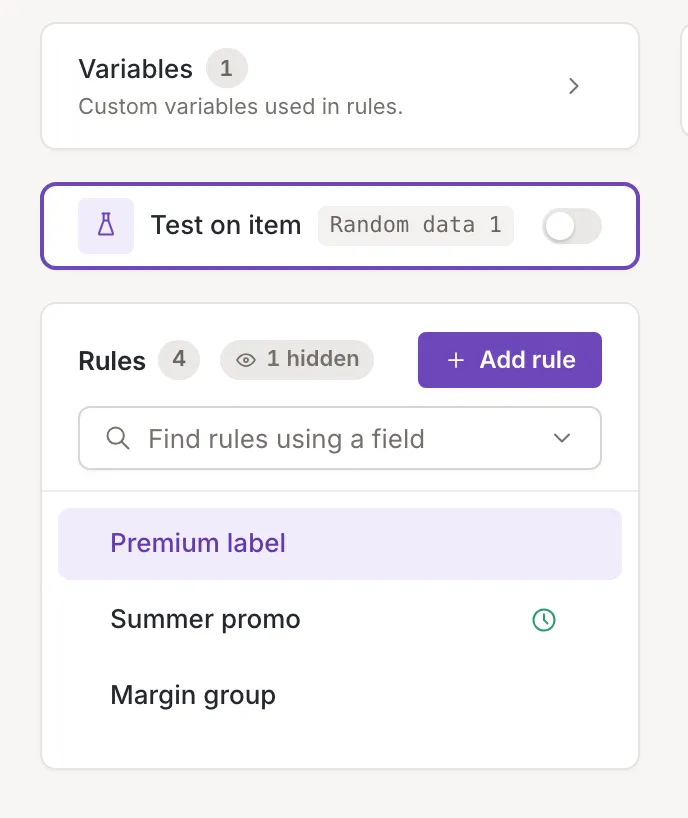
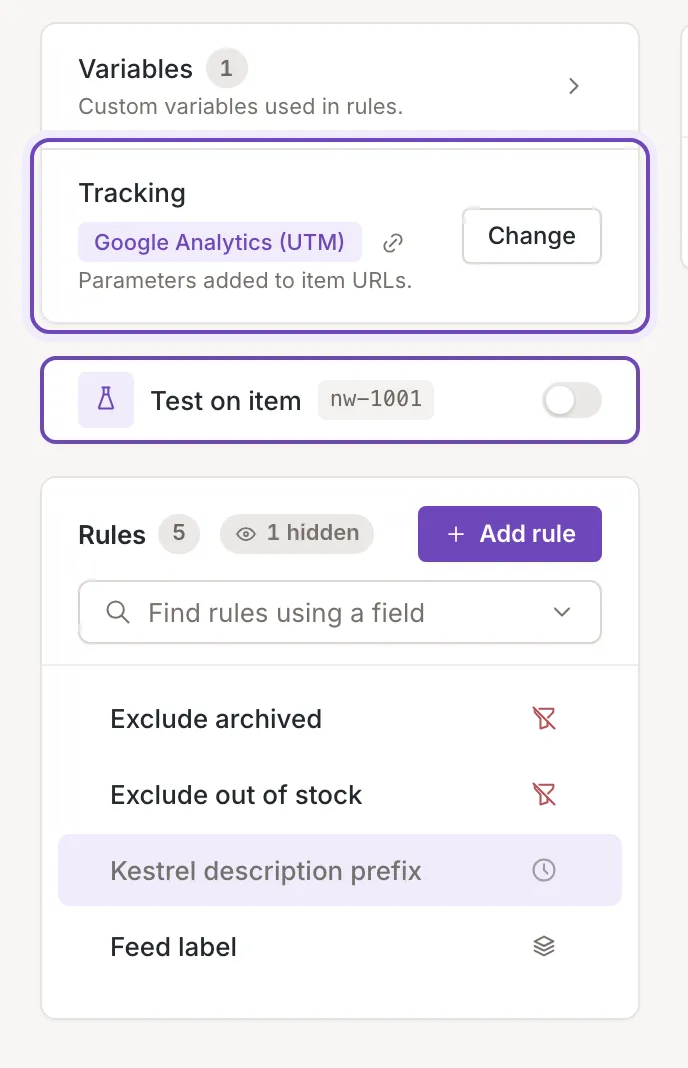
- Variables. On both, the Variables card lists the custom variables and owners and collaborators can add one on the card. Manage in mapping opens the mapping, where you rename or remove them. See Custom variables in rules.
- Tracking. Only a channel has the Tracking block, for the parameters added to every item URL. See Tracking parameters.
- Test on item. A channel tests on real items of your inkspace, which you can pick by ID. A source tests on sample data taken from its mapping. See Test on item.
What is the same
Section titled “What is the same”The rules list, drag and drop, the Active switch, bulk actions, cloning, the time limit and the editor behave the same on a source and a channel. Only owners and collaborators can add, change, clone, delete, reorder and switch rules; viewers can open them. A rule of a source can be cloned only to a source, and a rule of a channel only to a channel.