
Add or change a quality check
You add, change and delete the checks of an inkspace on the Quality tab. A check is a sentence: flag the items where some fields meet a condition. Owners and collaborators can do all of it; a viewer sees the checks but cannot change them.
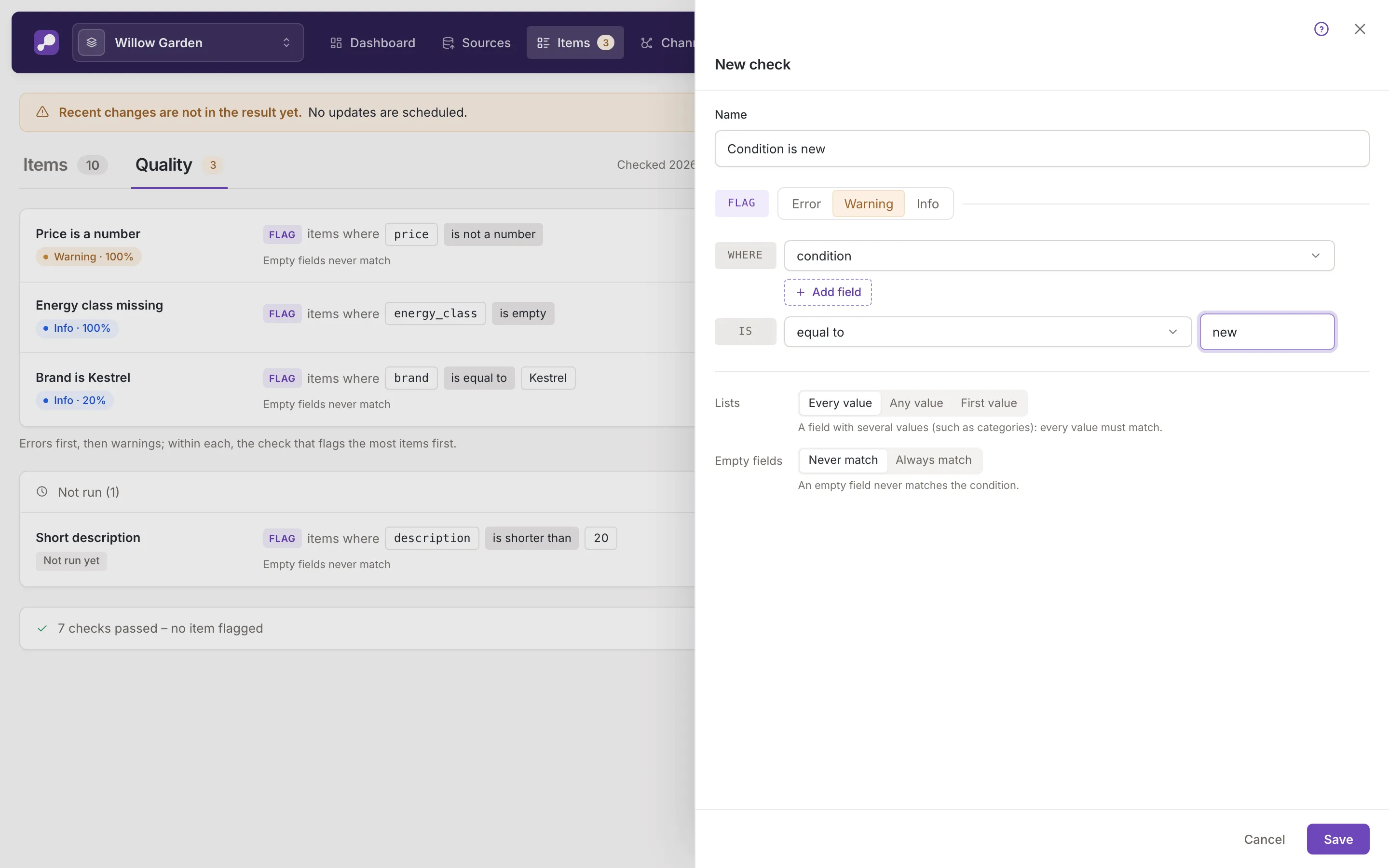
Open the form
Section titled “Open the form”- New check in the header of the Quality tab opens an empty form (New check).
- The pencil at the end of a check’s row (Change check) opens that check (Change check).
- The form opens in a panel over the list, and the check you are changing stays marked in it. Its address,
/items/quality/addor/items/quality/<check>/edit, can be opened directly.
Close the panel with the cross at its top or with Cancel. If you changed something, Feedink asks Leave without saving? (Your unsaved changes will be lost.) and offers Leave or Stay. Save stays off until the form differs from the saved check.
Name and severity
Section titled “Name and severity”Name is how the check is listed. It is required and has at most 255 characters.
The severity is the choice that follows Flag: Error, Warning (the default) or Info. Warning and info only report the items. With Error, the form says An error check stops the inkspace update when it flags items: the feeds are not refreshed.: use it for a mistake that must not reach your feeds.
Fields to check
Section titled “Fields to check”Where starts the list of fields the check looks at, from one to ten. Each row is a picker: open it and choose a field, or type to search. A field can be chosen once.
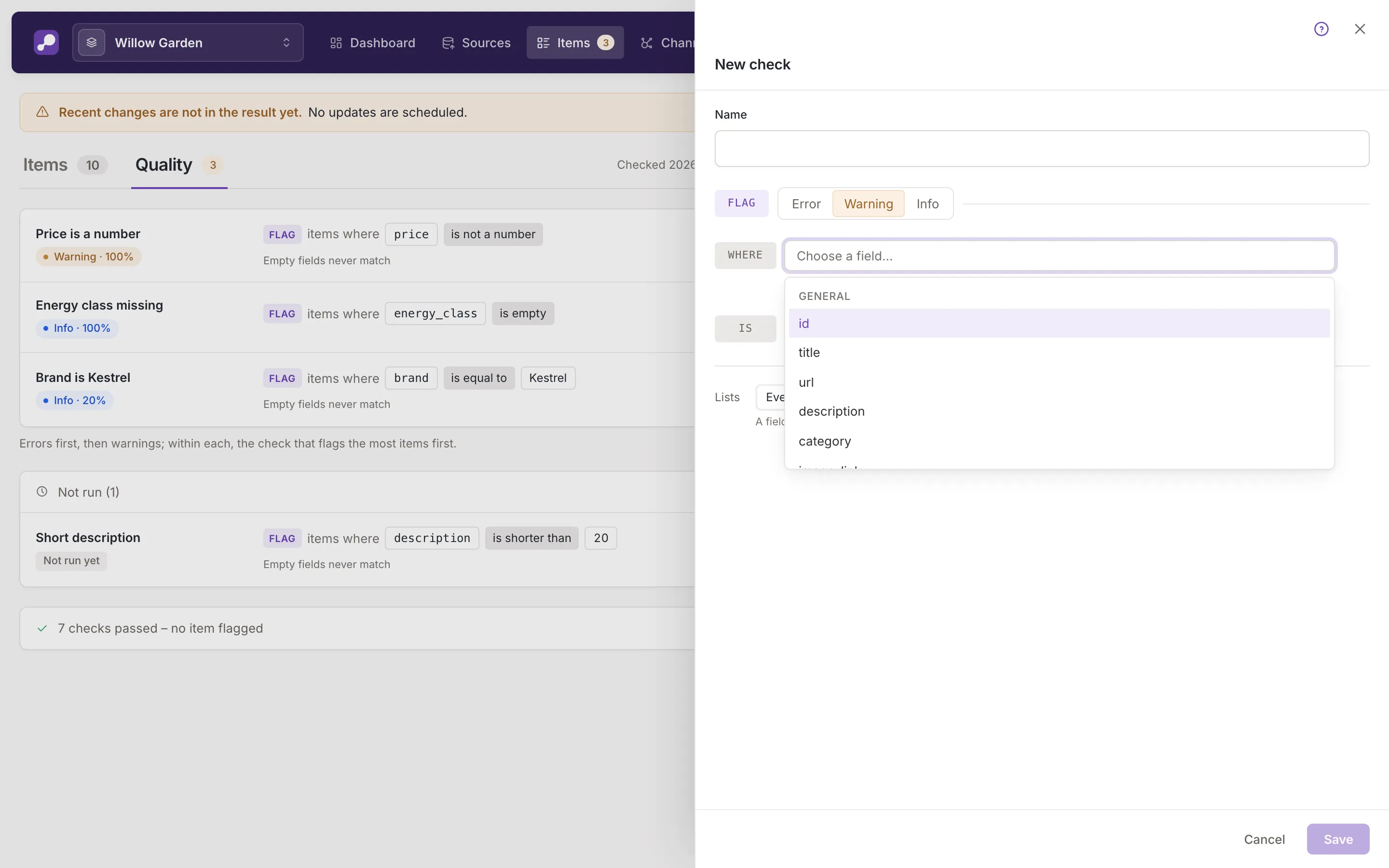
The picker groups the fields under their own headings: Feedink’s fields in their groups, then Fields of this inkspace, then Not in this inkspace. The last group holds names that other checks use but none of your sources has; they carry the mark not in this inkspace. A check on such a field finds it empty (No source of this inkspace has this field, so the check finds it empty.). A Feedink field that no source maps carries the mark empty: No source maps this field, so it is empty unless a rule sets it.
Add field adds a row, and the cross on a row (Remove field) takes it away; the button is off while a row is still empty. With two or more fields, the rows after the first begin with And or Or, and a line under them reads Flag when every or any field matches. Choose there whether an item is flagged when every field meets the condition or when any one of them does.
Condition
Section titled “Condition”After Is you choose the condition (Choose a condition…). It applies to every field you chose.
- empty: the field has no value.
- shorter than and longer than: the text has fewer or more characters than the number you enter in Minimum length or Maximum length. It must be a whole number from 0 to 100000.
- equal to: the value is exactly the text you enter in Value (up to 255 characters, spaces included).
- not a number, not a valid URL and not a valid price: the value is not a number, a web address or a price.
A new check starts without a field and without a condition. A value typed for one condition is dropped when you pick a condition that takes another kind of value.
Lists and empty fields
Section titled “Lists and empty fields”Two options sit under the condition.
Lists decides what happens with a field that has several values, such as categories: Every value (the default; every value must meet the condition), Any value or First value (only the first counts). A line under the choice explains the one you picked.
Empty fields decides whether an item with an empty field meets the condition: Never match (the default) or Always match. It is not offered for the conditions empty and longer than, where it makes no difference.
Save, delete and restore
Section titled “Save, delete and restore”Save checks the form first and shows what is missing under the field, without saving: for example Enter a name., Choose at least one field., or Enter a value. for a length or value left empty.
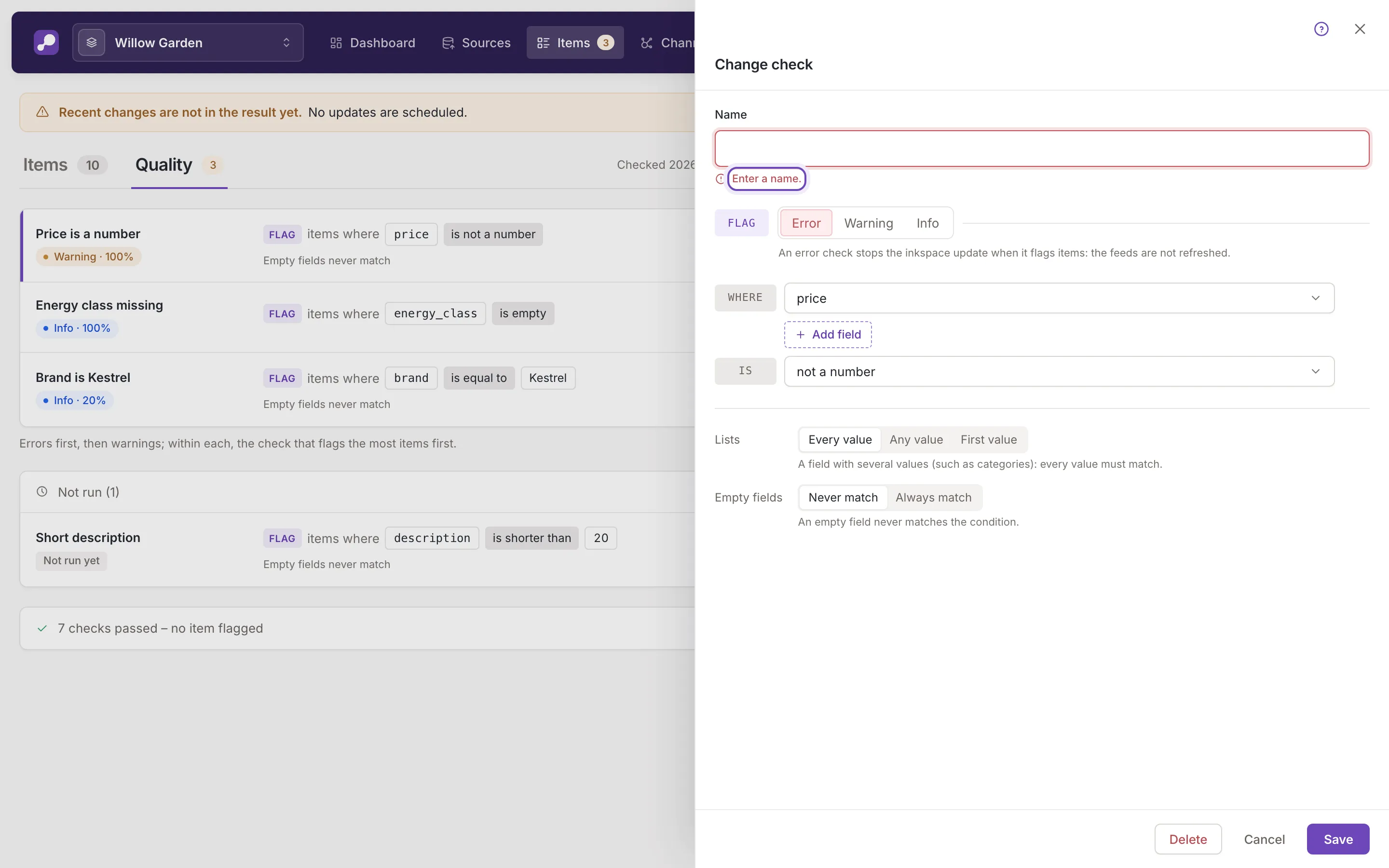
When the check is saved, Feedink says Check added. It runs from the next update. or Check saved. It runs from the next update., the panel closes and the check is marked in the list. A check does not run at once: it runs with the next update of the inkspace, and shows as not run until then.
Delete at the foot of a check’s form, and the bin at the end of its row (Delete), delete a check, one at a time. Feedink asks first.
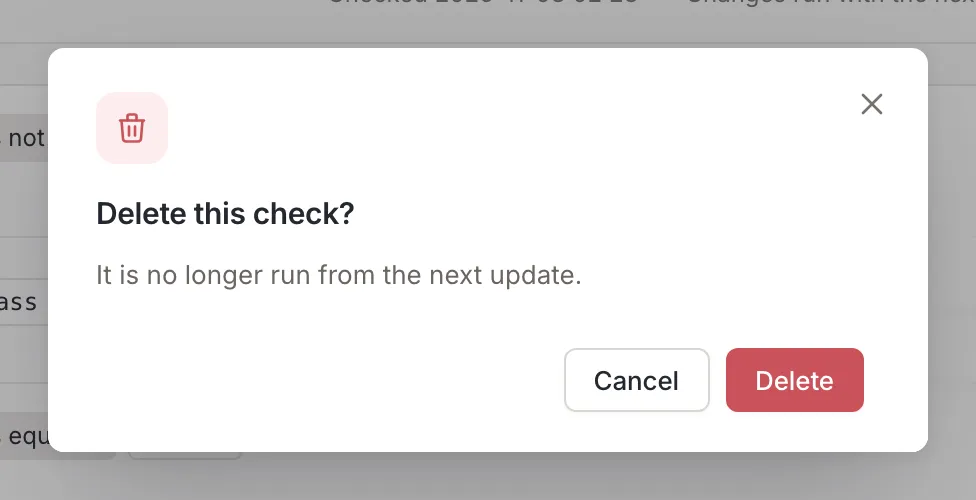
The question is Delete this check? (It is no longer run from the next update.), and after the delete Feedink says Check deleted..
Restore default checks in the header adds back the default checks that are missing from the inkspace and leaves the others as they are. Feedink says The missing default checks have been added. They run from the next update. or, when none was missing, All default checks are already there.. If adding them would pass your plan’s limit, nothing is added: They would pass the plan's limit: delete other checks first.
Limits and permissions
Section titled “Limits and permissions”- Plan limit. Your plan sets how many checks an inkspace can have. At the limit New check is off with The plan's limit is reached: delete another check first.; if a new check is saved anyway (its address opened directly), a message titled Could not add the check says The plan's limit is reached: delete another check first. A check that is over the limit can be changed and deleted, and its form says This check is over your plan's limit: it is kept and can be changed, but it is not run until the plan allows more checks.
- Viewers. A viewer’s New check is off, with Only the inkspace's owner and collaborators can add checks.. There are no change, delete or restore buttons, and a check opened by its address shows its values without Save or Delete.
- A check changed elsewhere. If someone else saves the check while your form is open, an unchanged form shows the new version. If you have unsaved changes, the form says This check was changed elsewhere. Your unsaved changes are kept. and offers Load new version or Keep my changes.
- A check deleted elsewhere. The form turns read-only and says This check has been deleted. Save and Delete are gone.