
Save, undo and leave
Changes you make in a mapping stay on the screen until you save them. A bar under the head of the panel shows that there is something to save, and holds Save, Undo, Redo and Discard. The same bar and the same rules work in the mapping of a source and of a channel.

The savebar
Section titled “The savebar”The bar appears with your first change, with the label Unsaved changes, and goes away when you save, discard or undo everything and nothing is left to redo. It sits under the head of the panel, so it stays in view while you scroll the tree.
From left to right: the label with Discard changes, then Undo and Redo (two icon buttons) and Save. A viewer’s bar has the label only: without Save, Discard, Undo and Redo, changes to the mapping are not kept.
Some changes do not wait for the bar. Adding, renaming and removing a custom variable is saved at once, and a source that has nothing mapped yet gets its best matching mapping applied and saved automatically when you open it.
Save sends the changes in order and stops at the first one that fails. For a source the order is the custom variables, the structure of the file (the tree with its mappings and settings), the link to a saved mapping template, and then the Combine data settings; a channel sends its variables and its structure. When all of it went through, a toast says Source mapping saved. or Channel mapping saved., and the bar goes away.
When a part fails, the parts before it stay saved, the bar stays, and an error toast names the part and gives the reason:
- Custom variables not saved
- Mapping not saved (a channel’s toast reads Mapping not saved)
- Mapping template not linked
- Combine settings not saved

When Feedink refuses particular rows of the tree (for example a name that is not valid), it marks those rows with an alert above the tree instead of a toast. Fix them and click Save again: it sends only what is left.
Save is not blocked while the source, the channel or the inkspace is updating. If Feedink cannot take the change at that moment, the toast says A source update is already in progress. Try again after it finishes. (a channel: A channel update is already in progress. Try again after it finishes.; an update of the whole inkspace: An inkspace update is already in progress. Try again after it finishes.). Wait for the update to end and click Save again.
When Save is disabled
Section titled “When Save is disabled”Save is disabled while nothing needs saving, while a save is on its way, and when Feedink knows the result would be refused. In the last case hover over the button, or focus it, to read why:
- On a source, the id field is not mapped and no field is chosen in Combine data: Map the id field, or choose a field in Combine data, first. An alert above the tree says the same.
- A field of Combine data is no longer mapped: A field in Combine data is not mapped. Map it, or choose another field.
- A name is not valid, or a row of the tree has none. The reason names the problem and points to the alerts above the tree, which name the rows.
- A channel’s tree has a context error. The alerts name the element; see Channel element settings.
- Any other check that fails: Feedink cannot save this yet. Check the alerts above the schema.
Undo, Redo and Discard
Section titled “Undo, Redo and Discard”Undo and Redo walk through your unsaved changes one at a time, up to the last 100. A change is one click, one pick from a list or one drag; typing in one field without a pause (about a second) is joined into a single step. There is one history for the whole page, so a change to the tree, a change in Combine data and a mapping made from the Summary are undone in the order you made them. Undo is disabled when there is nothing to undo, and Redo when there is nothing to redo. Saving starts a new history: you cannot undo past a save.
If you undo everything, the bar changes its label to All changes undone and stays so that you can redo; Save is then disabled.

Discard changes asks Discard unsaved changes? and, when you confirm, puts everything back to the last saved version: Everything since the last save goes back to how it was saved.
Leaving with unsaved changes
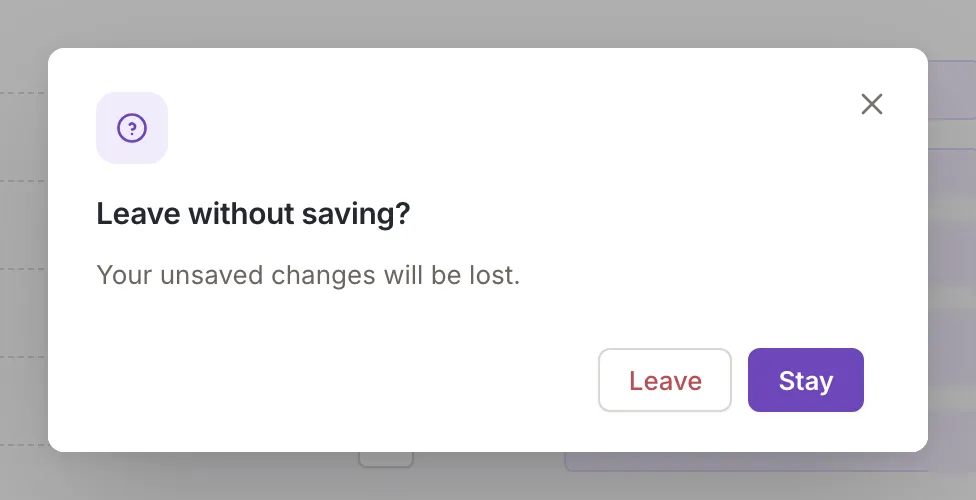
Section titled “Leaving with unsaved changes”Whenever you leave the screen with unsaved changes, with the back arrow, the close button, the Rules step, a link or the browser’s Back, Feedink asks Leave without saving? Your unsaved changes will be lost. Stay keeps you where you are with your changes; Leave drops them and goes on. Closing the browser tab or reloading the page gets the browser’s own question.
Changed elsewhere while you edit
Section titled “Changed elsewhere while you edit”The source or channel can be changed while you have the mapping open, by a colleague, or by you in another tab. Without unsaved changes the screen simply follows. With them, your edits are kept. Changes to things you did not edit are taken in silently. When the outside change touches something you edited too, a notice asks what to do. It says This source was changed elsewhere. Your unsaved changes are kept. (on a channel: This channel was changed elsewhere. Your unsaved changes are kept.). Choose Keep my changes to go on with your version, or Load the new version to replace it with the new one and lose your edits. If you keep yours and the same version is read again, you are not asked again; a newer version asks again.
If the source or channel is deleted while you have its mapping open, Feedink takes you to the list.