
Mapping a CSV or Google Sheet source
A CSV file and a Google Sheet have one product per row and no nesting, so their mapping is a flat list of columns. The two formats look and work the same (Source formats).
Columns instead of elements
Section titled “Columns instead of elements”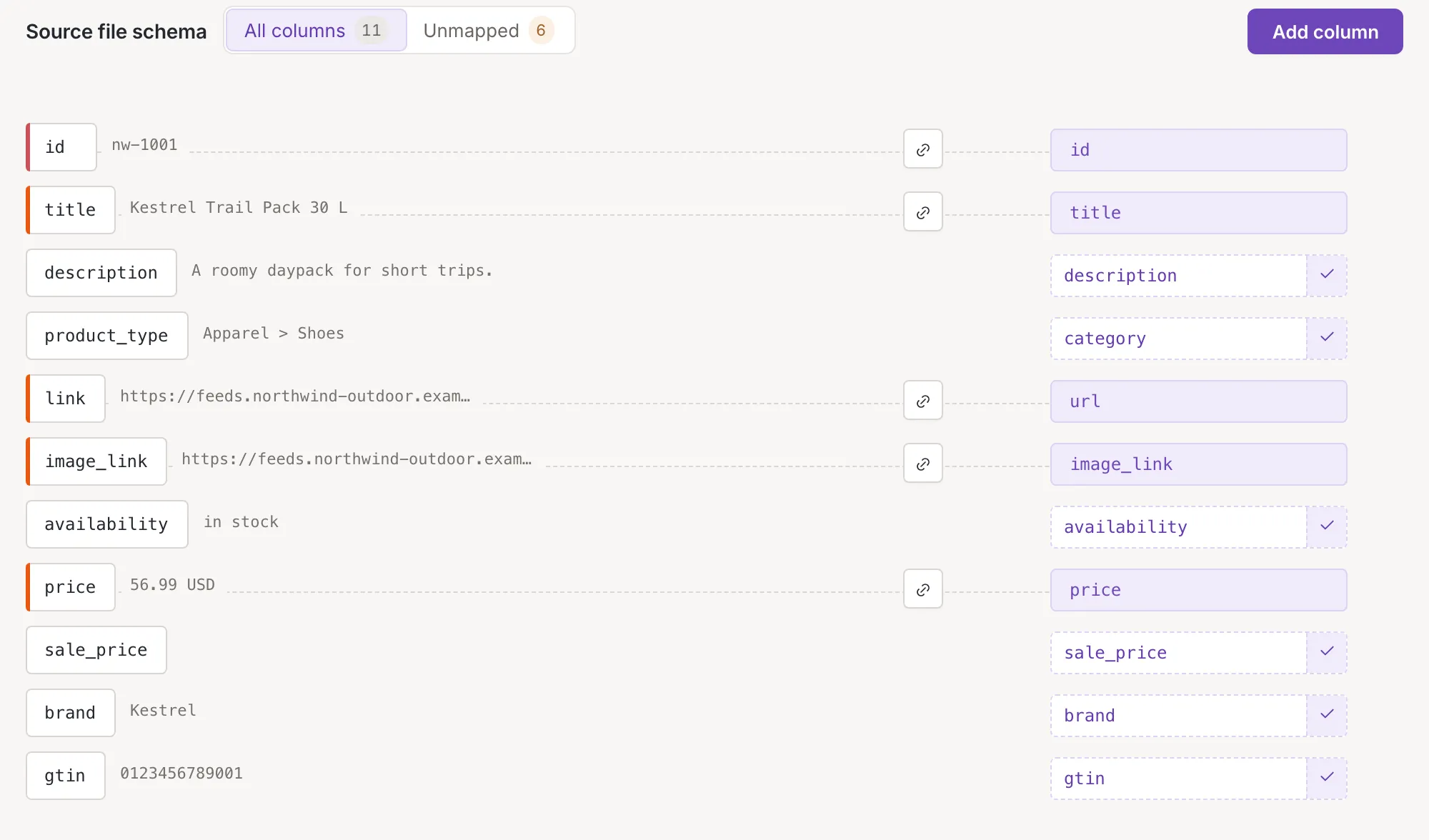
Each row of the list is a column of your file, with its first example value and a cell for the field it fills. Every column can be mapped, so there is no product element to choose, and the filter in the heading counts every column: All columns and Unmapped. Mapping a cell works as everywhere: Map an element to a field. The Summary, the preview and Combine data are the same as for XML (Source mapping).
Add a column
Section titled “Add a column”Add column in the heading puts a new column in the tray; name it, confirm it and drag it into the list, as in Add, move and remove elements. It can land at the top of the list (At the top, offered on the first row) or after a row (Below). The plus button of a row (Add column) offers Column above and Column below. In the add row that these entries open, the name is checked as you type, and the row says Use only a-z, 0-9, _ and -. Capital letters are accepted too. A column added from the tray is only refused when its name is empty.
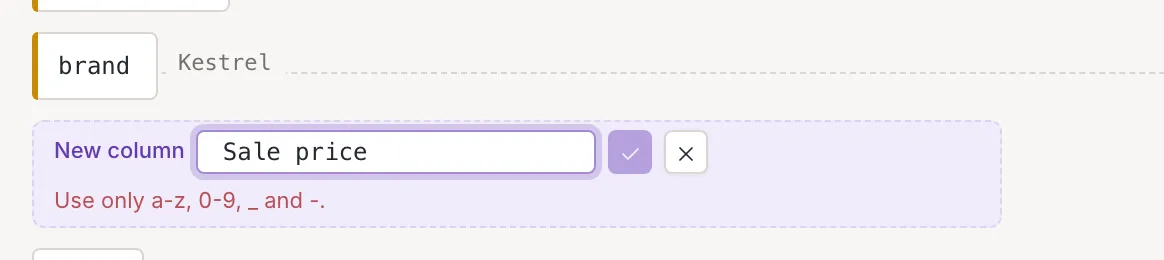
Move a column by its handle and remove it with Remove column, as for elements; there are no attributes, variants or branches to drop into.
Column settings
Section titled “Column settings”The pencil of a row (Column settings) opens the settings panel (Element settings of a source). A column has two settings: Name and
Allow empty value(An empty cell is read as a value. Off: an empty cell counts as missing.).
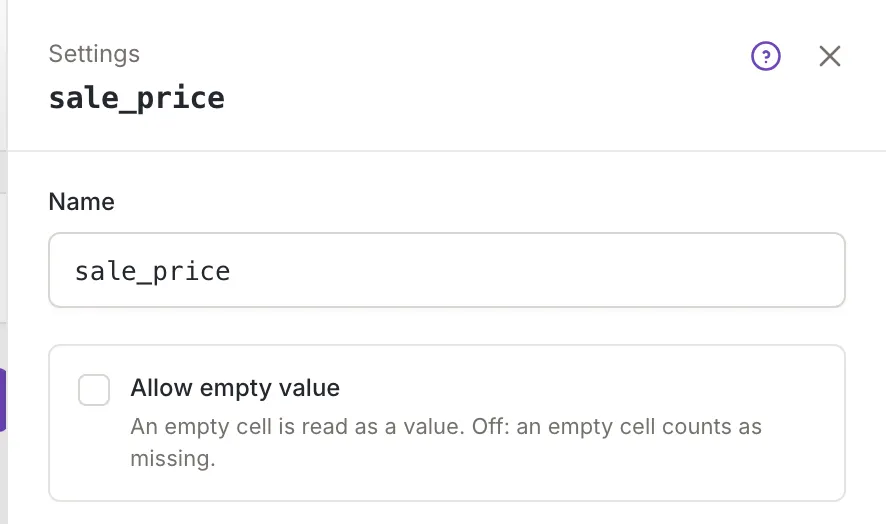
A name you change must use only letters (capitals too), digits, _ and -. A column keeps its current name, whatever it is, until you change it.
What is different from XML
Section titled “What is different from XML”- There are no attributes, variants or elements inside elements, and no arrow to fold a branch.
- There is no setting for an item element and no alert about one: every column is part of the product.
- The heading has no button for attributes, only the one for columns.
- Column names are stricter than XML names.