
The Fields tab
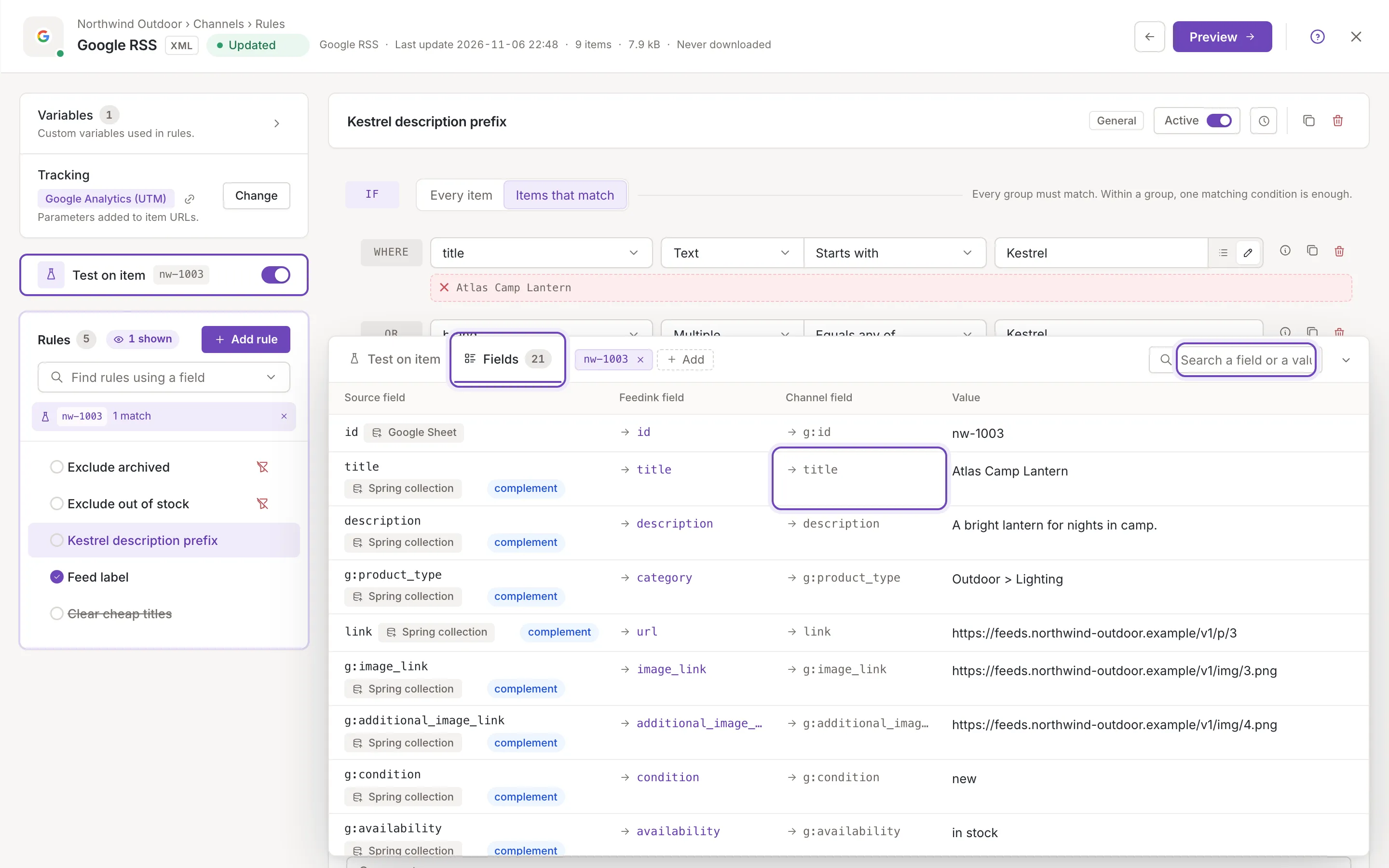
The Fields tab lists every field of the sample item, with its value and where it comes from, so you can find the field a rule should use and put it into the open rule in one click.
Open the tab
Section titled “Open the tab”Switch Test on item on and click Fields next to Test on item in the head of the panel. The number on the tab is the number of rows; while a search filters them it reads for example “3/21”. Both tabs use the item picked in the head, and the search and the opened rows stay when you switch between them.
Without a picked item the tab says No item to test on. as the other tab does. Anyone who can open the rules screen can use the tab to read; adding to a rule is for owners and collaborators (see below).
The rows
Section titled “The rows”The tab is a table. On a channel it has four columns, on a source three (no channel column):
- Source field: the element of your file the value was read from,
as its place in the file, for example
titleorg:product_type. - Feedink field: the Feedink field it is mapped to. This is the name rules use.
- Channel field (channel only): the elements of the channel’s feed that carry the field. A field the channel does not send reads not sent by this channel
- Value: the item’s value. A long value is cut to two lines (point at it to read it all), an empty one reads empty and a field that holds several values reads for example “2 values” with an arrow that opens the list.
The values are what the open rule receives: in Sequence mode, the item as the active rules above the open rule left it; with no rule open, or in Original item mode, the item as it came in.
On a channel
Section titled “On a channel”A channel has one row per field of the item, and one per variable of the channel that the item has no value for yet. Under the source field, a chip says where the field comes from:
- The name of the source the value was read from, with a link that opens that source’s mapping in a new tab (Open this source's mapping in a new tab), and complement when it is a complement source.
- Feedink: a field Feedink keeps for every item, such as its ID or currency.
- A chip that says a rule of a source set the field, with the source’s name: the source maps nothing to the field, so one of its rules set it.
- Computed in this channel: a variable of this channel, which the channel’s rules fill (Custom variables in rules).
- Origin unknown: the item names a source that is no longer in the inkspace, or none.
Rows from your files come first, in the order of the sources and of their elements; then Feedink’s fields, the fields set by a source’s rule, the channel’s variables and the unknown ones.
On a source
Section titled “On a source”A source has one row per element of its mapping: the mapped elements first, in the order of the tree, then the ones that are not mapped. The value is the made-up item’s; under it, Value may offer “2 more samples” (for example), the element’s other sample values, which open as a list. An element that is not mapped reads not mapped in the Feedink column; owners and collaborators get a link to the mapping, Map it to use in a rule
Search
Section titled “Search”The search box in the head of the panel (Search a field or a value) keeps the rows where the text appears in a source element, a Feedink field, a channel element or a value, whatever the case. On a source it also finds the other sample values. The matches are marked in the rows. When nothing matches the tab says No field or value matches the search. and when the item has no fields No fields to show. The cross in the box (Clear the search) clears it.
Add a condition or adjustment
Section titled “Add a condition or adjustment”Point at a row, or move the keyboard focus into it, and two buttons appear over the right end of its value: Add condition and Add adjustment. They put the field into the rule that is open above, as a normal edit: the rule shows Unsaved changes, and you must still save it. The new line flashes once and is scrolled into view.
- Add condition adds a new group of conditions at the end of IF with one condition on the field: Equals the item’s value; for a list, Contains its first value; for an empty field, Is empty. An IF that says Every item, or has an empty row, is replaced by it.
- Add adjustment adds an adjustment at the end of THEN: Set to value the item’s value as a custom text (for a list, its first value). On a new rule, a lone Do nothing is replaced.
Change the line to what you need: it is a starting point, not a finished rule.
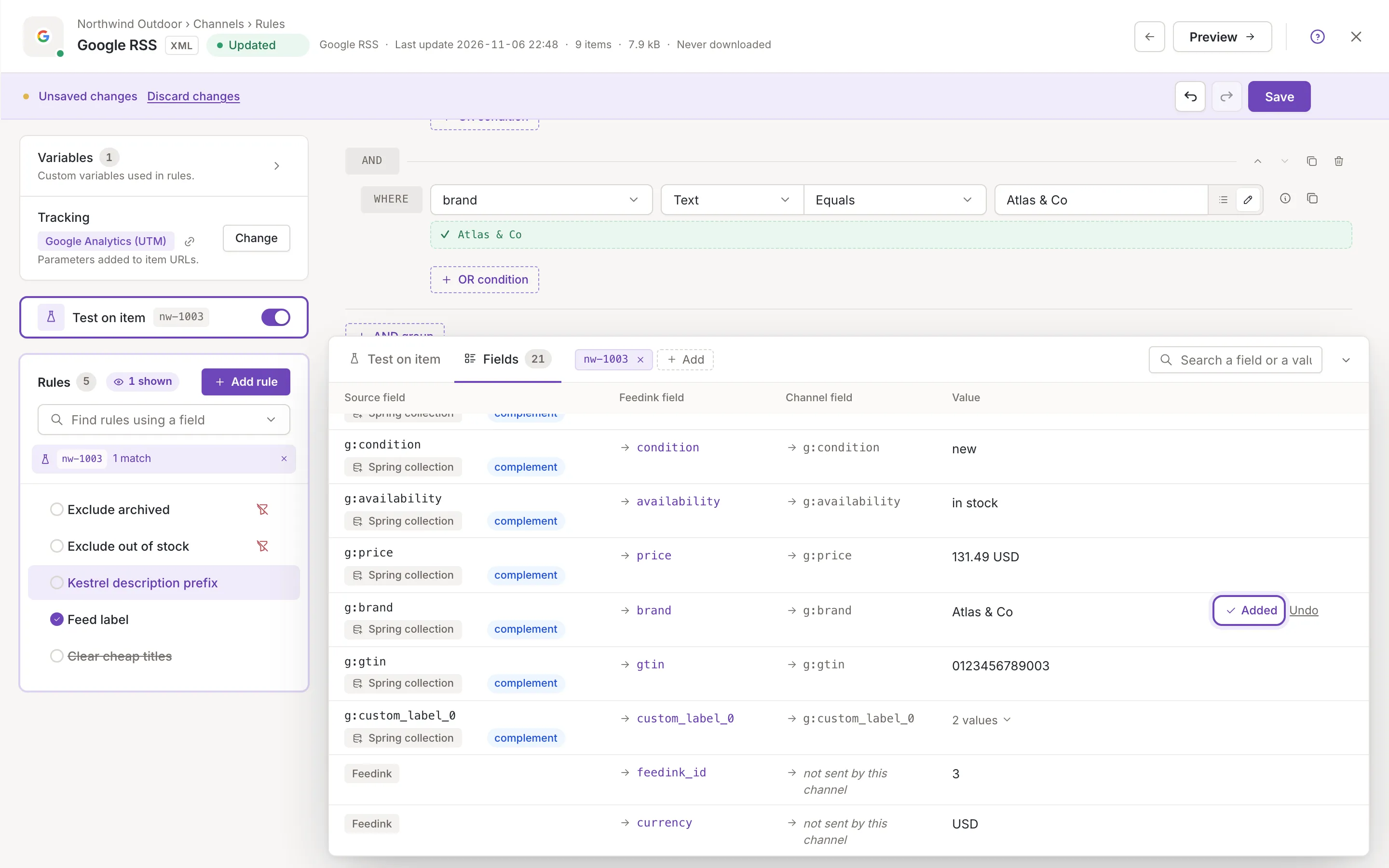
The row then reads Added with Undo for a few seconds. Undo takes back exactly that line, as long as you have not edited it or removed it since.
A button may be off, with a tooltip that says why: Open a rule to add to it. when no rule is open, or This rule type cannot use this field. for a rule of an older type. A field the rule editor does not offer has no button, and neither has an adjustment on the fields Feedink keeps for every item (they cannot be changed). Viewers see none of these buttons.
Every row also has Copy value (with the pointer over the row, also for viewers): it copies the value, a list of several values as a list, and says Copied to the clipboard.
Source and channel differences
Section titled “Source and channel differences”| Source | Channel | |
|---|---|---|
| Item | Made up from the mapping’s samples | A real item of the inkspace |
| Columns | Source field, Feedink field, Value | Source field, Feedink field, Channel field, Value |
| Rows | One per mapping element, unmapped ones last | One per field of the item and per channel variable |
| Other values | “N more samples” per element | A list as “N values” |
| Not mapped | Link to the mapping | Not applicable: fields are the item’s |